


The problem
Applying is not the same as being seen.
How it works
Four steps, then you're in their inbox.
- 01
Drop in your resume
Upload a PDF once. Apply Ops parses it into a structured profile, titles, skills, seniority, locations, and writes 6 outreach templates in your own material: an opener and a follow-up for each of HR, founder, senior employee.
- 02
Find the roles, then the people
Search up to 4 boards at once for up to 25 matched roles. For each one, Apply Ops identifies the recruiter, hiring manager or founder behind it and verifies their email address, rather than guessing the company's address pattern and bouncing.
- 03
Read every draft before it goes
Each contact is classified from their headline and the matching template is filled in with their name, company and role. Nothing is generated per-email by an LLM, nothing sends unread, and you can edit any draft or delete it outright.
- 04
Send from your own Gmail, on a schedule
Emails go out from your account, not a shared sending domain, spaced through the working day in the recipient's timezone, up to 50 a day. One follow-up per contact is scheduled automatically, and only once the first email has actually been delivered.
Coverage
12 boards, one search.
Pick up to 4 per search, fewer boards means sharper matches. New boards are added regularly.
Chrome extension
Your outreach, inside Gmail.
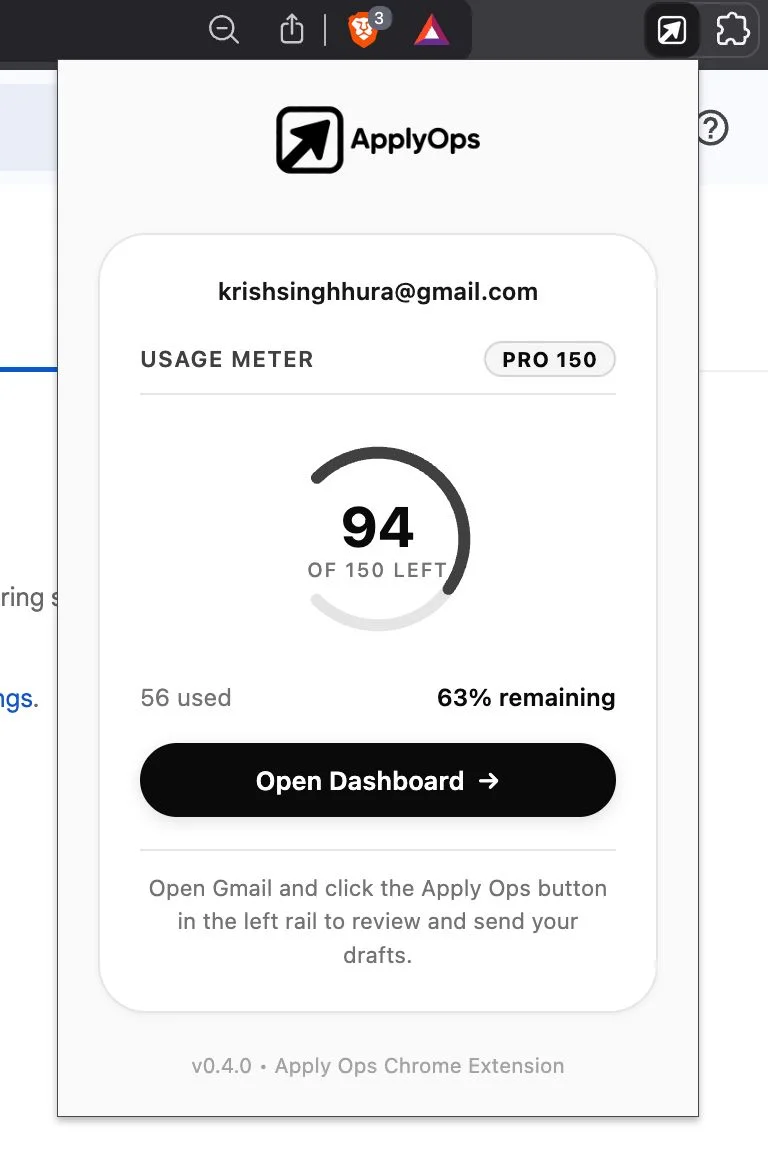
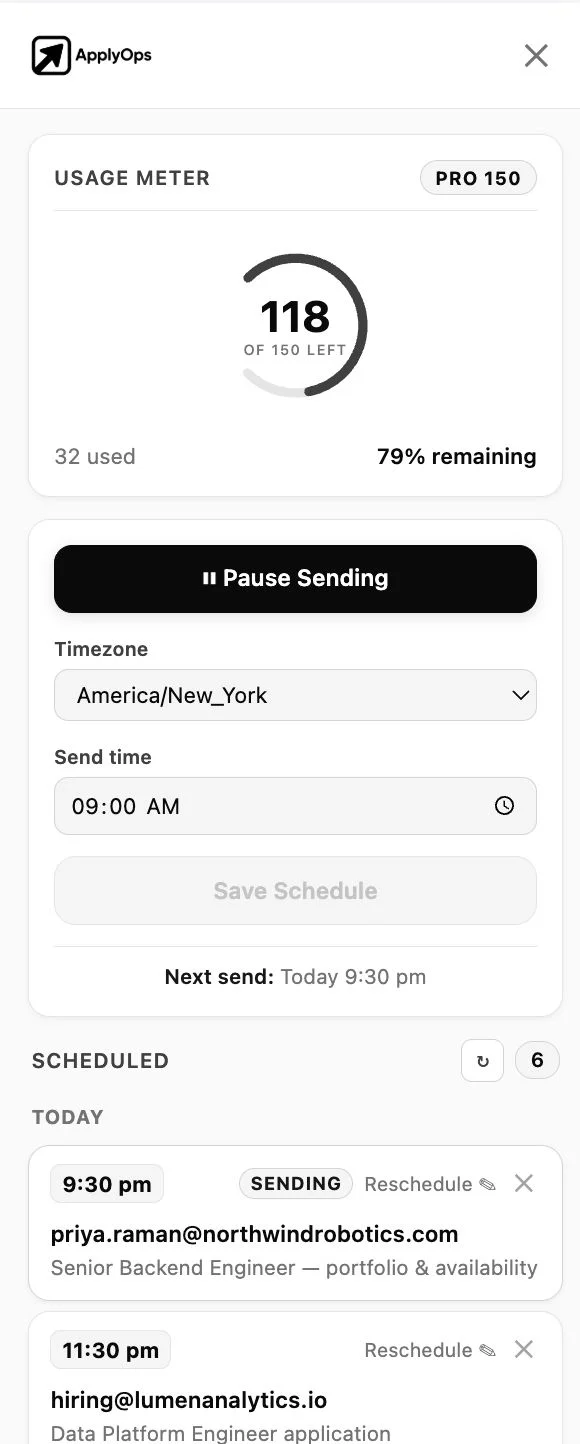
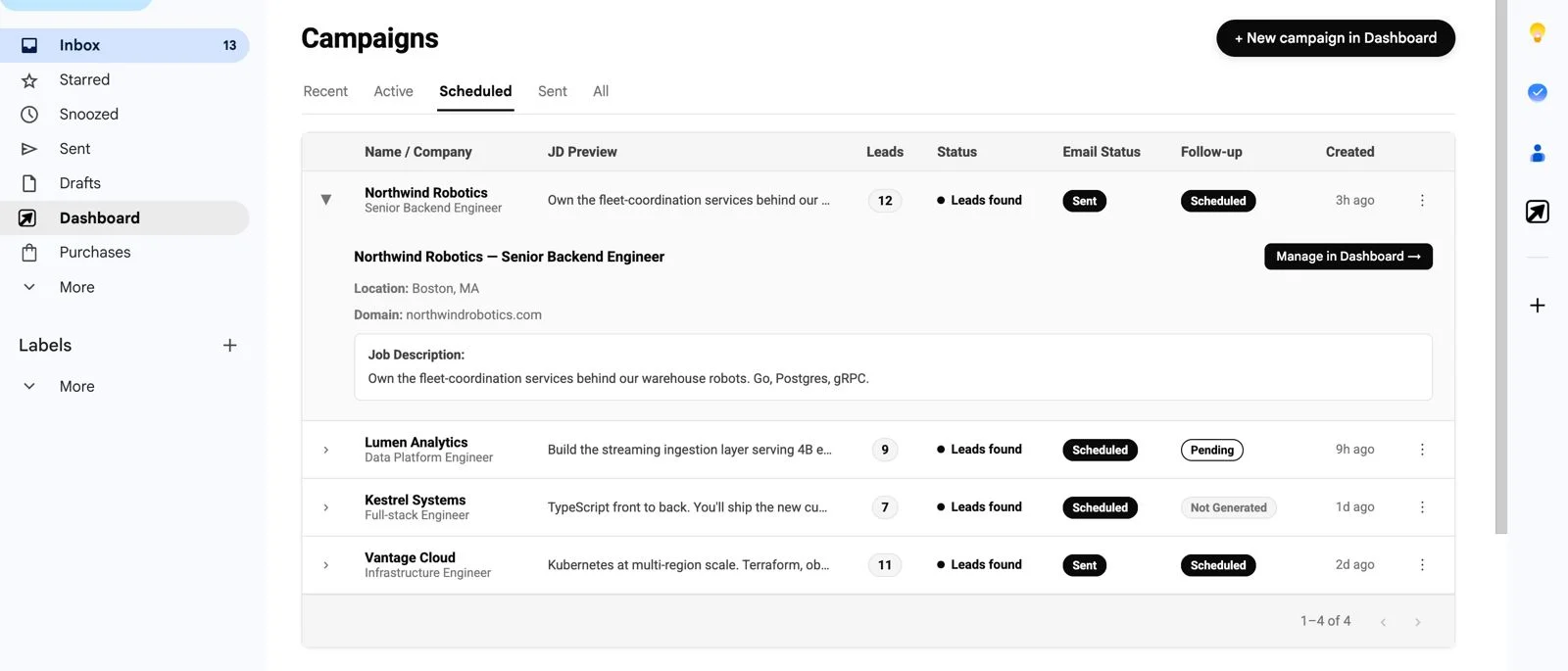
The extension puts Apply Ops in a sidebar next to your inbox, every draft, the send schedule and your remaining credits, so the emails go out from the account they were always going to send from.
- Review and edit every cold email draft inside Gmail before it sends
- Schedule a whole campaign in the recipient's timezone, spaced through the day
- Watch credits, send status and scheduled follow-ups without leaving the tab

Why we built it
The queue was never the way in.
People get hired because someone knew their name before the shortlist was drawn. That has always been true, and it is the one part of a job hunt that a portal cannot do for you.
Apply Ops does the tedious half, finding the person, verifying the address, writing the draft, remembering the follow-up. The email is still yours, and it still sends from your account.
What you get
Built for getting a reply.
Up to 25 matched roles per search, each one traced to the person doing the hiring, and an email you have read before it sends.
The person, not the portal
For every matched role, Apply Ops identifies the recruiter, hiring manager or founder attached to it, a named human with a real inbox, not a careers@ address.
Verified addresses, not guessed ones
Each address is checked before it enters the send queue. A guessed pattern that bounces is recorded against your own Gmail account, and enough of them push your real mail to spam.
6 templates, written from your resume
An opener and a follow-up for each of HR, founder and senior employee, generated once from your own material, editable any time, and filled in per contact. No per-email LLM output you have to proofread.
Sends from your Gmail, on your schedule
Your account, your address, your reputation, not a shared sending domain. Emails go out 2 minutes apart in the recipient's timezone, up to 50 a day.
Follow-ups that fire once, then stop
One follow-up per contact, scheduled automatically and only after the first email actually lands. Every campaign shows drafted, scheduled, partial or sent at a glance.
Roles from every board, in one pass
LinkedIn, Indeed, Glassdoor, ZipRecruiter, Wellfound, Y Combinator, Naukri, foundit, Hirist, Instahyre, Internshala and Shine: 12 boards, matched against your parsed resume.
In their words
People who stopped queueing.
4,000+
Job seekers using Apply Ops
2,000+
Have landed a job
600+
Of those were a first job
“Three replies in the same week I stopped applying and started emailing.”
I'd sent about 90 applications over two months and heard back from four. So I stopped and started emailing engineering managers instead. Three replies that same week, one of which turned into a call on a Friday evening. What I hadn't understood before is how much of this is just finding an address that works. That was never a thing I was going to sit and do by hand.
“Starting from something is the difference between five a week and none.”
Design roles are strange because half of them are never posted. Emailing founders is basically the only way in, and I was writing every one from a blank page, badly. The drafts here aren't perfect either, I still rewrite the middle paragraph most times. But starting from something is the difference between sending five a week and sending none.
“A senior engineer will reply to a fresher who writes a normal email.”
Final year, no referrals, no clue who to even contact. The part that helped most wasn't the automation. It was finding out that a senior engineer at a 40-person company will actually reply to a fresher who writes a normal email. Two interviews out of about 25 emails. One of them told me he replied because I'd mentioned something specific from their changelog.
Quotes are composite accounts based on how people use Apply Ops. Names, portraits and employers are illustrative, not real customers, and the portraits depict no actual person.
Questions
Before you send.
Is it OK to email a hiring manager directly?
Yes. There is no rule against it, and hiring managers who are actively recruiting generally welcome a short, specific email, it is a candidate arriving without agency fees or a two-week ATS lag. It works against you in three cases: when the posting explicitly says no direct contact, when the email just restates your CV, and when it is your third or fourth message.
Does cold emailing for jobs actually work?
It works because of who it reaches, not how many. A cold email lands in front of the person who owns the decision; an application lands in a queue. For individually written emails to well-chosen recipients, a reply rate in the region of 10-25% is realistic, most of them polite nos, with a few real conversations. Anyone quoting 50% is describing warm introductions.
Does Apply Ops send emails for me automatically?
It writes the drafts and schedules them, but nothing leaves your account unread, every draft is reviewable and editable in the dashboard or the Gmail sidebar first. It also does not submit job applications on your behalf; you apply on the original posting yourself.
Whose email address do the messages come from?
Yours. Apply Ops connects to your own Gmail account and sends from it, rather than from a shared sending domain or a pool of warmed inboxes. That is deliberate, a real personal address from a real person is exactly what a hiring manager is more likely to answer.
How many emails can I send a day without getting blocked?
Campaigns default to 50 a day and you can set your own cap up to 100. Sends are spaced minutes apart through the working day rather than fired in a burst, because a spike of near-identical messages from an account that has never done that is what trips spam filtering. Addresses are verified before sending, since bounces damage your sending reputation more than volume does.
How does it find the hiring manager's email address?
It identifies the recruiter, hiring manager or founder attached to a matched role, then verifies the address before it enters the send queue, rather than guessing the company's address pattern. A guessed address that bounces is recorded against your own account, which is the cost most job seekers do not see.
Which job boards does it search?
LinkedIn, Indeed, Glassdoor, ZipRecruiter, Wellfound and Y Combinator globally, plus Naukri.com, foundit, Hirist, Instahyre, Internshala and Shine in India: 12 boards in all. You pick up to 4 per search, fewer boards generally means sharper matches.
What does it cost?
You can start free, with no card. Credits are consumed by outreach emails that are actually delivered, searching does not spend them, and a failed send is refunded. Full breakdown is on the pricing page.
Get in front of the person who decides.
Upload a resume, pick your boards, and start sending verified, personalised cold email from your own Gmail. Free to start, no card.